

How to Manage Your Hosting Services in the Noiz Console
This guide shows you how to see your hosting services in the Noiz Console, what each one is, and how to renew or change it.
Last reviewed: 1 August 2026, against the current Noiz client area. It is kept current as the Console changes.
See your services
Section titled “See your services”- Log in to the Console.
- Click Services in the top menu, then My Services.
- Each of your hosting packages is listed with its name, price, next due date and status (for example Active).
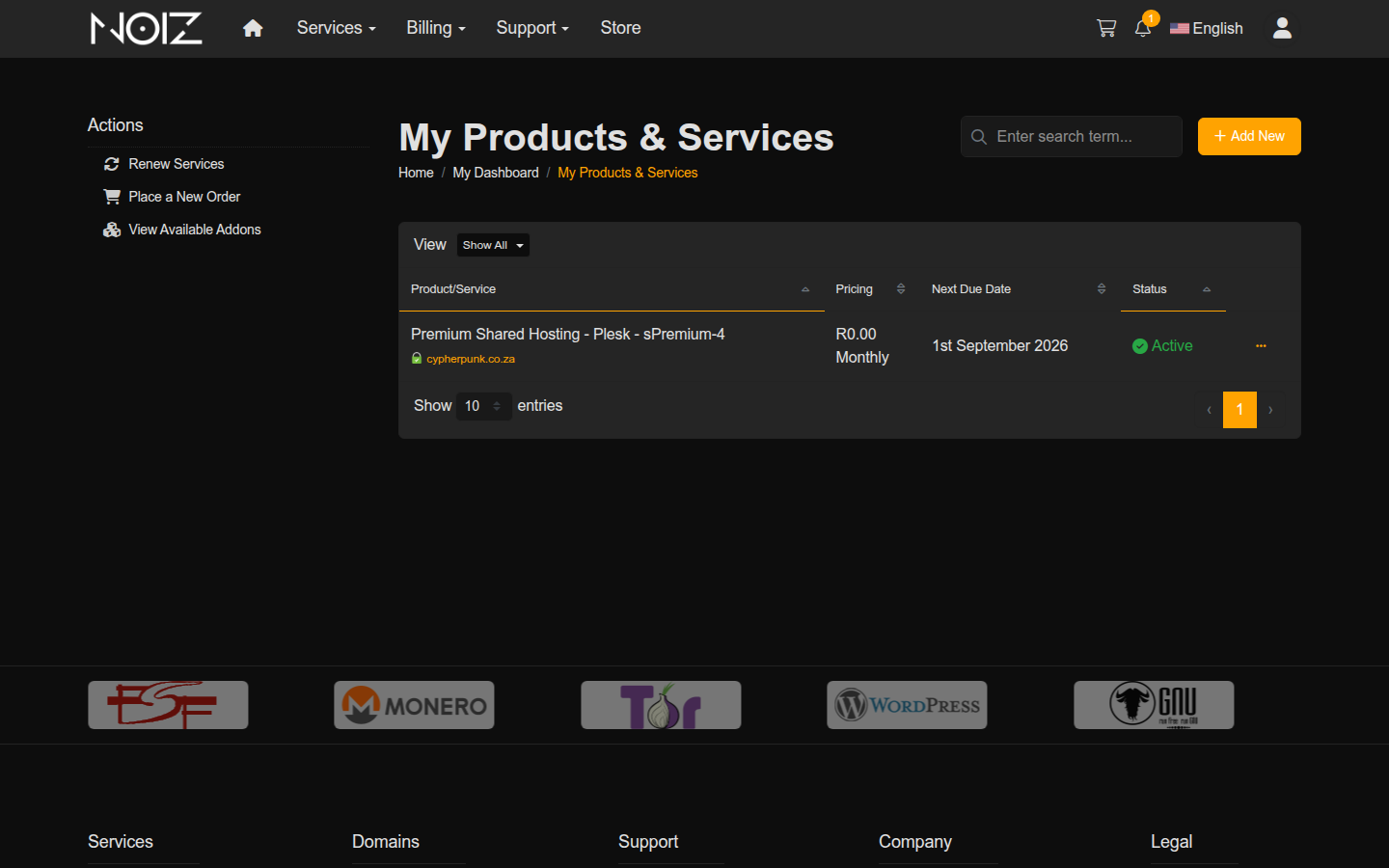
The domain shown under a service is the primary domain on that hosting package, so you can tell services apart at a glance if you have more than one.
Open a service to manage it
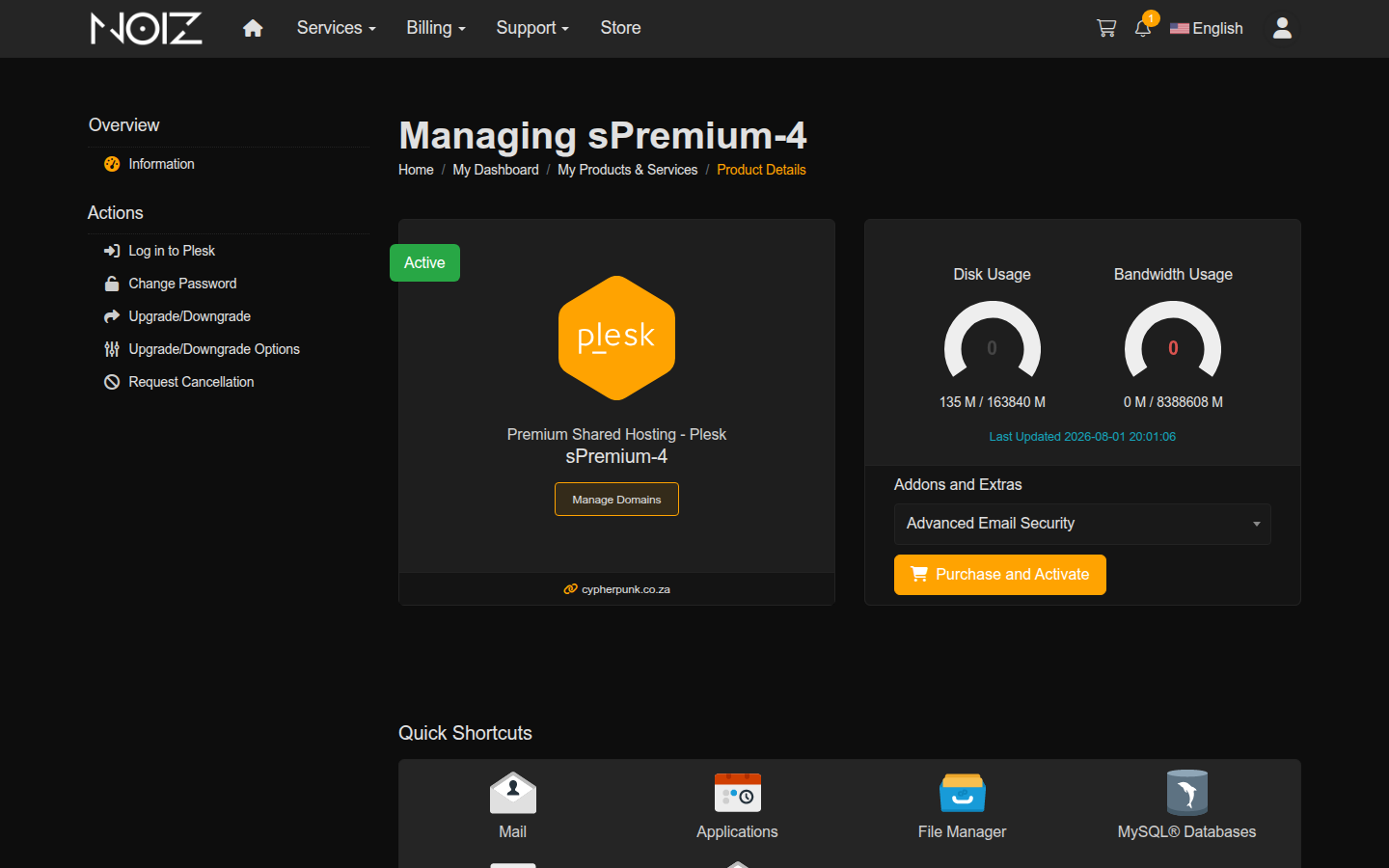
Section titled “Open a service to manage it”Click a service to open its details. From here you can see the full details of the package and, depending on the service, log in to its control panel, change its password, or open it for management.
Renew or upgrade a service
Section titled “Renew or upgrade a service”- Renew: services renew automatically on their next due date, and Noiz sends the invoice in advance. You pay it like any other invoice (see How to View and Pay an Invoice). You do not usually need to do anything to keep a service running.
- Upgrade or change: to move to a bigger package, or add something to a service, open the service and look for an upgrade or addons option, or ask Noiz to quote for the change. An upgrade is billed pro-rata for the rest of the current period.
If you cannot find a service
Section titled “If you cannot find a service”If a service you expected is missing, it may be under a different Noiz account, or it may have expired. Contact Noiz support with your domain name and they will locate it and confirm its status.
[noiz] | disrupt the signal