

How to Log In to DirectAdmin
DirectAdmin is the control panel on Noiz hosting in Ireland. It is where you manage websites, email accounts, databases, DNS, backups and SSL certificates, and nearly every other DirectAdmin guide starts by asking you to sign in.
This article covers both routes in: through the client area, which needs no separate password, and directly in a browser, which is what to use when the client area is not to hand.
Last reviewed: 29 July 2026, against the current DirectAdmin release using the Evolution skin. This guide is written for Noiz hosting and is kept current against DirectAdmin. It complements, and does not replace, the official DirectAdmin documentation linked below.
Official Documentation Reference
Section titled “Official Documentation Reference”Prerequisites
Section titled “Prerequisites”- An active Noiz hosting plan on DirectAdmin.
- The DirectAdmin sign-in URL, username and password from your Noiz welcome email. You do not need these for the client area route below.
Log In to DirectAdmin From the Client Area (Recommended)
Section titled “Log In to DirectAdmin From the Client Area (Recommended)”Use this route if you are not certain of your DirectAdmin password. The client area signs you in for you, so there is no second password to keep track of.
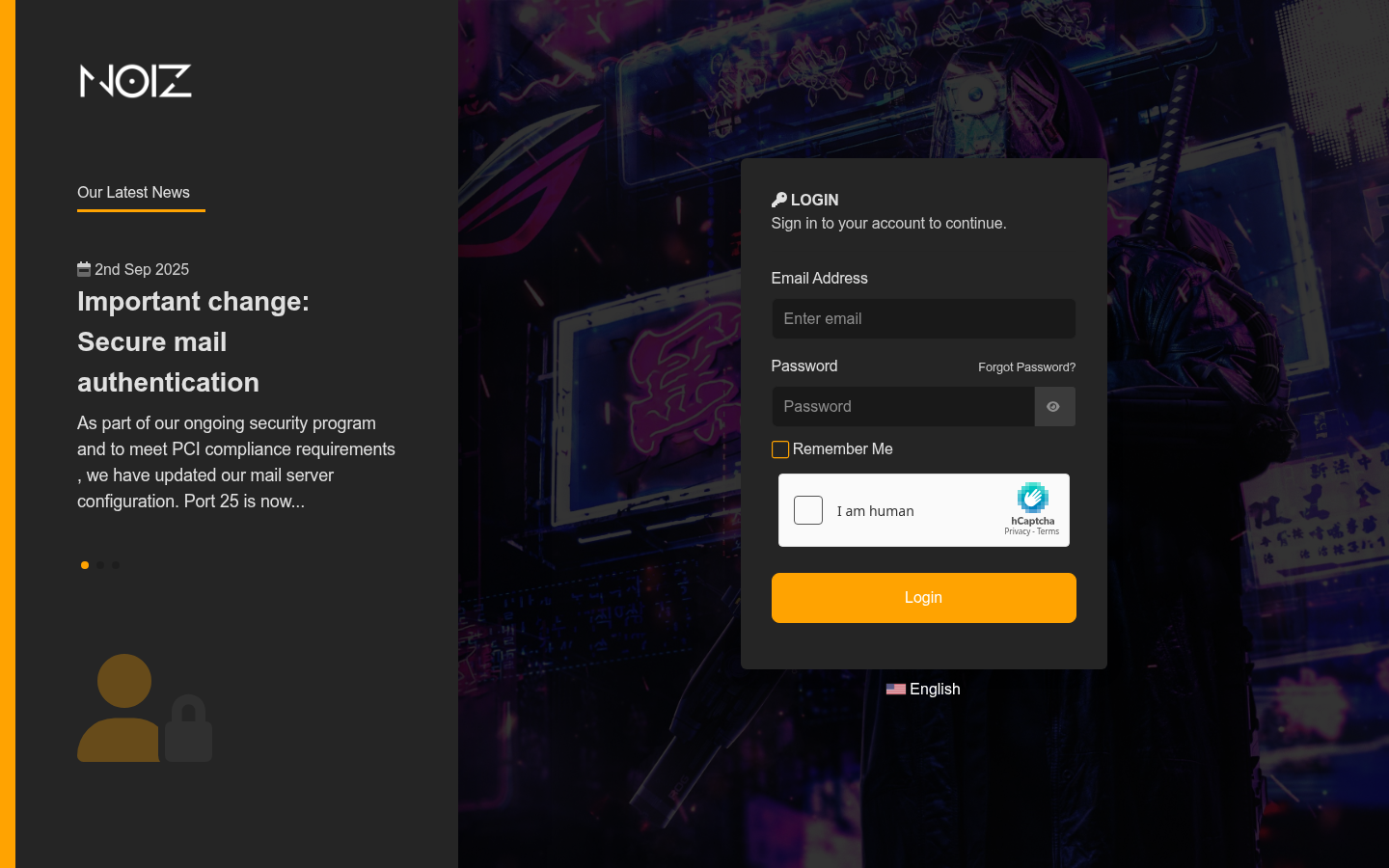
Step 1: Sign in to the Noiz client area using the Login button at the top right of the website.
Your username is your billing email address. If the password escapes you, the password reset link sits below the login form.
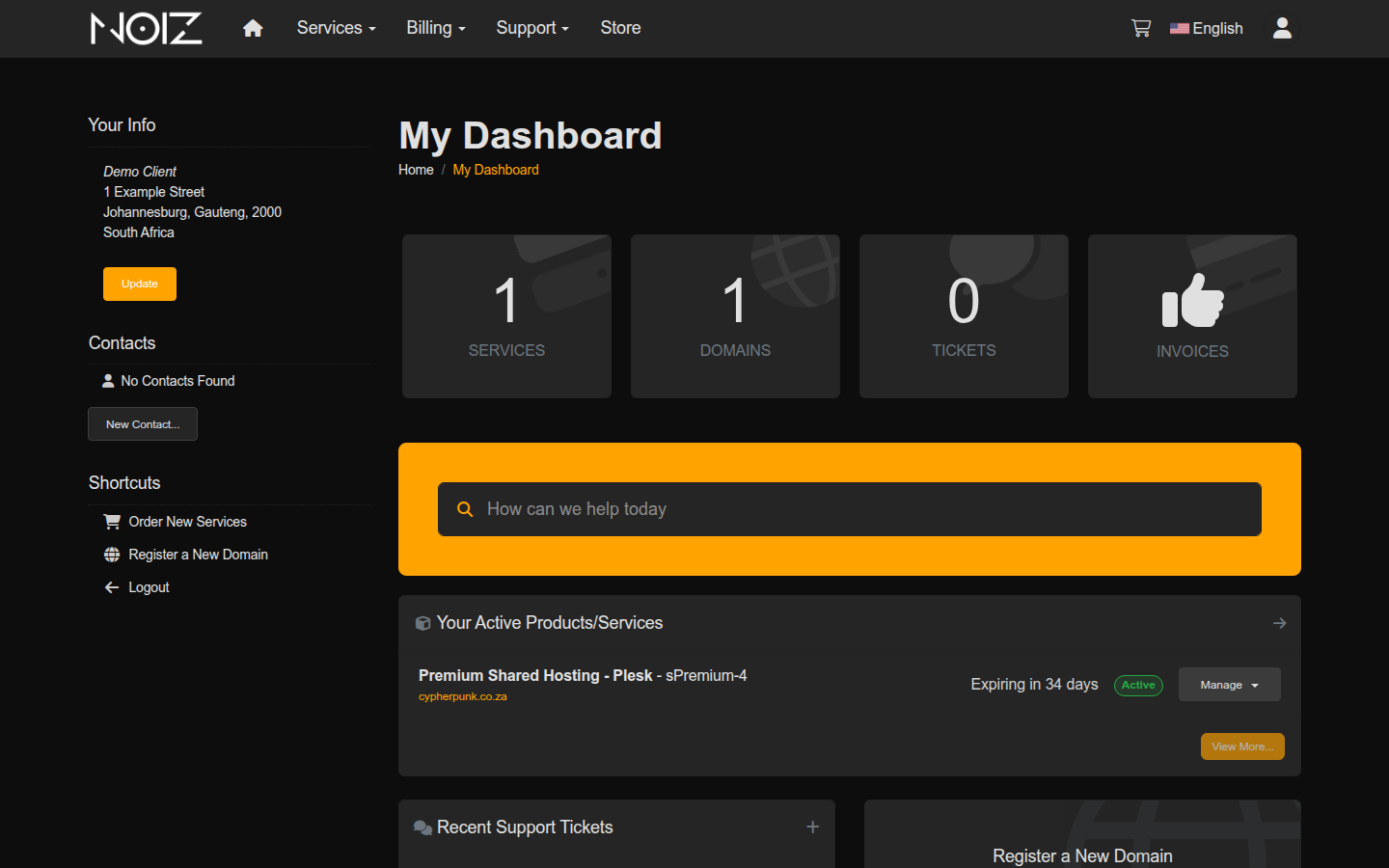
Step 2: From the dashboard, open My Services, either from the Services tile or the Services menu in the top navigation.
Step 3: Click your hosting plan to open its details page. Click the tile rather than the domain name, because the domain name opens your website instead.
Step 4: Click the DirectAdmin login button in the Actions panel in the left-hand sidebar.
DirectAdmin opens in a new tab, already signed in.
Log In to DirectAdmin Directly
Section titled “Log In to DirectAdmin Directly”Use this route to reach DirectAdmin without the client area, or to give a developer access to the hosting account without handing over your billing login.
Step 1: In your browser, go to your domain followed by port 2222:
https://yourdomain.com:2222/Replace yourdomain.com with your own domain. DirectAdmin listens on port 2222, so the port number is required. Leaving it off takes you to your website instead.
Step 2: Enter your DirectAdmin username and password, then sign in.
These are not your client area credentials. They were sent to you in your Noiz welcome email.
If the Browser Warns You About the Certificate
Section titled “If the Browser Warns You About the Certificate”Visiting https://yourdomain.com:2222/ usually produces a warning such as “Your connection is not private” or “Potential Security Risk Ahead”.
This is a name mismatch, not a broken connection. The control panel’s certificate is issued to the server hostname, and you asked for your own domain, so the browser quite correctly reports that the two names differ. The connection is still encrypted.
Two ways to handle it:
- Preferred: use the server hostname instead, in the form
https://server-hostname:2222/. The certificate matches that name, so no warning appears. Your server hostname is in your welcome email, and Noiz support can confirm it. - Acceptable: click Advanced, then Continue or Accept the Risk and Continue.
Never click through a certificate warning on a page asking for card details, or on a site where you did not expect one. On a control panel reached by port number on a hostname you recognise, it is expected.
Three Kinds of DirectAdmin Login
Section titled “Three Kinds of DirectAdmin Login”DirectAdmin has three account levels, and knowing which one you hold explains what you can see after signing in.
- User. A single hosting account: one set of websites, mailboxes and databases. This is what a Noiz shared hosting plan gives you, and what nearly every guide in this knowledgebase assumes.
- Reseller. Creates and manages user accounts, with its own package limits. Only relevant on a reseller plan.
- Admin. Server-wide control. Not issued on shared hosting.
If a guide mentions a menu you cannot find, the usual explanation is that it describes a reseller or admin feature and your account is a user.
If You Cannot Log In
Section titled “If You Cannot Log In”You do not know your DirectAdmin password. Use the client area route above, which does not need it, or contact Noiz support to have it reset.
The page does not load at all. Check that you included :2222 and that the address starts with https:// rather than http://. If the address is correct and it still does not load, repeated failed logins may have caused the server firewall to block your IP address. Send Noiz support your current IP address and it can be cleared.
Your username and password are rejected. DirectAdmin passwords are case sensitive, so check Caps Lock first. Then check which password you are using: the client area login (your billing email), the DirectAdmin login (the hosting account), and individual email account passwords are three different things, and they are easy to confuse.
You reach a login screen but it is not DirectAdmin. Port 2222 is DirectAdmin. If a different control panel answers, your plan is on a different panel. See How to Log In to Plesk or How to Log In to cPanel.
Once You Are In
Section titled “Once You Are In”Worth doing on a first visit:
- Change the password from the one in your welcome email, under your account settings.
- If you only want to read email, you do not need DirectAdmin at all. Go straight to webmail.
Summary
Section titled “Summary”There are two routes into DirectAdmin. The client area route needs no DirectAdmin password and suits day-to-day use. The direct route, https://yourdomain.com:2222/, is there when you want it, and the certificate warning it produces is a hostname mismatch rather than a fault.
If neither route works, contact Noiz support with your domain name and the exact error you see.
Related Guides
Section titled “Related Guides”[noiz] | disrupt the signal