

How to Register and Manage a Domain in the Noiz Console
This guide shows you how to register a new domain name and manage the domains you already have, in the Noiz Console.
Last reviewed: 1 August 2026, against the current Noiz client area. It is kept current as the Console changes.
See your domains
Section titled “See your domains”- Log in to the Console.
- Click Domains in the top menu, then My Domains.
- Your registered domains are listed with their registration and expiry dates and status.
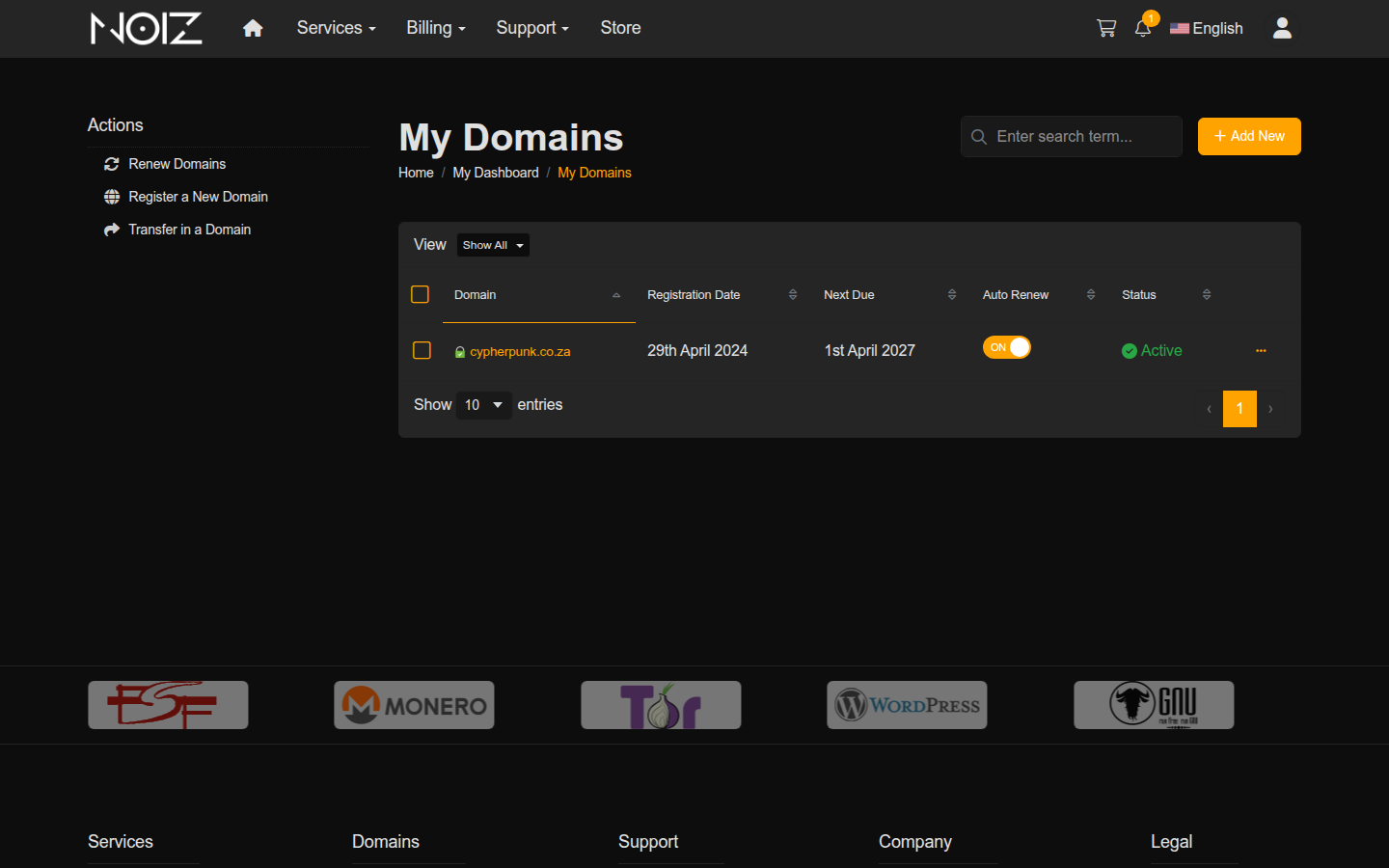
Click a domain to manage it: update its nameservers, manage its DNS records (where DNS hosting is enabled), renew it, or manage its contact details and WHOIS privacy.
Register a new domain
Section titled “Register a new domain”- In the Console, click Domains, then Register a New Domain.
- Search for the name you want. The results show whether it is available and what it costs per year, for each extension (
.co.za,.com, and so on). - Add the domain to your cart and check out. The registration completes once the invoice is paid.
For help choosing a name, see How to Choose the Right Domain Name for Your Website, and for what a domain ending means, What Is a TLD (Top-Level Domain)?.
Point your domain at your hosting
Section titled “Point your domain at your hosting”A new domain needs to know where your website lives before it shows anything. The simplest route is to use the Noiz nameservers, ns1.noiz.co.za and ns2.noiz.co.za, which connect the domain to your Noiz hosting automatically. See How to Point Your Domain to Noiz Hosting for the full walkthrough, including using your own DNS provider instead.
If a domain is not working
Section titled “If a domain is not working”- Registered but not resolving: check the nameservers are set to the Noiz ones above, and allow time for DNS changes to spread (up to 24-48 hours in the worst case, usually much faster).
- Expired: an expired domain stops resolving and can be lost if not renewed. Renew it from My Domains as soon as possible.
For anything domain-related that you cannot resolve, contact Noiz support with the domain name.
[noiz] | disrupt the signal