
How to Stop a Domain from Renewing in the Noiz Console
If you no longer need a domain, you do not have to cancel anything or open a ticket. Every domain in the Noiz Console has its own Auto Renew setting. Turn it off and we will not issue a renewal invoice for that domain. It stays active until its expiry date and is then released. Your hosting, email and other services are not affected; they are managed separately under Services.
Last reviewed: 30 October 2026, against the current Noiz Console.
Before you start
Section titled “Before you start”- Check the domain’s Next Due date on the My Domains page. We issue a domain renewal invoice seven days before that date, so turn Auto Renew off before then and no invoice is issued at all.
- Anything that still uses the domain stops working when it expires: a website on it, email addresses at it, and any logins or services registered with those addresses. Move them to another domain first if you still need them.
Turn off Auto Renew from My Domains
Section titled “Turn off Auto Renew from My Domains”This is the quickest way.
- Log in to the Console.
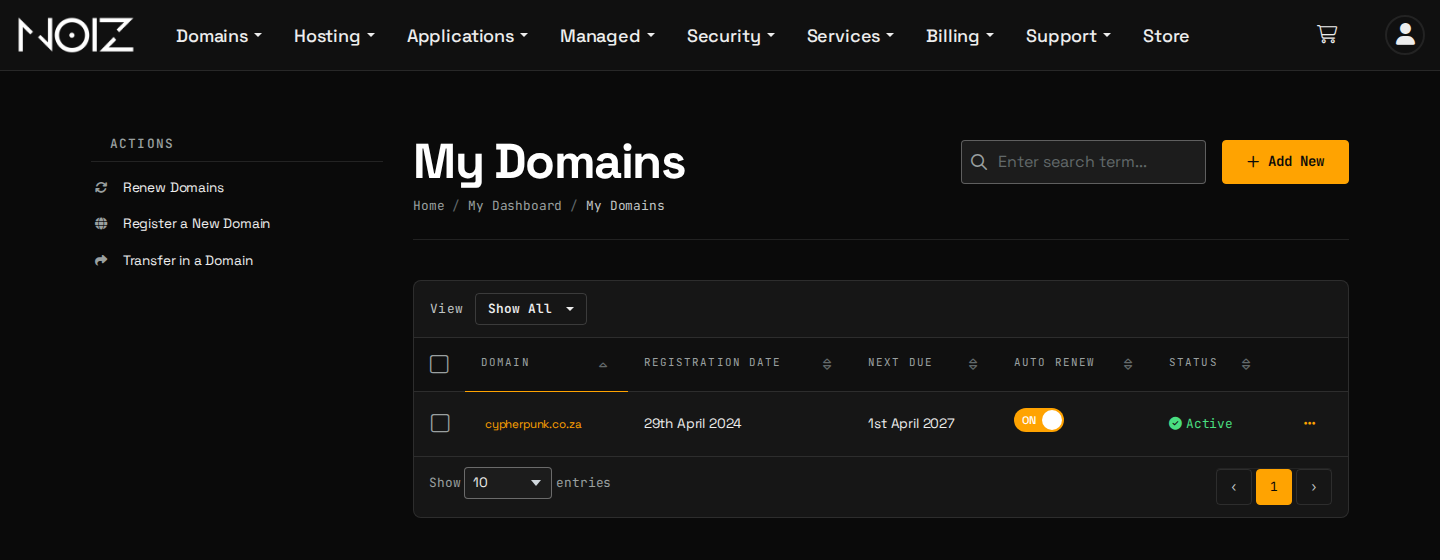
- Click Domains, then My Domains.
- In the Auto Renew column, click the switch next to the domain so that it shows OFF. The change is saved straight away.
Turn off Auto Renew from the domain’s management page
Section titled “Turn off Auto Renew from the domain’s management page”Use this route if you want to see the domain’s details first.
-
On My Domains, click the three dots at the end of the domain’s row, then Manage Domain.
-
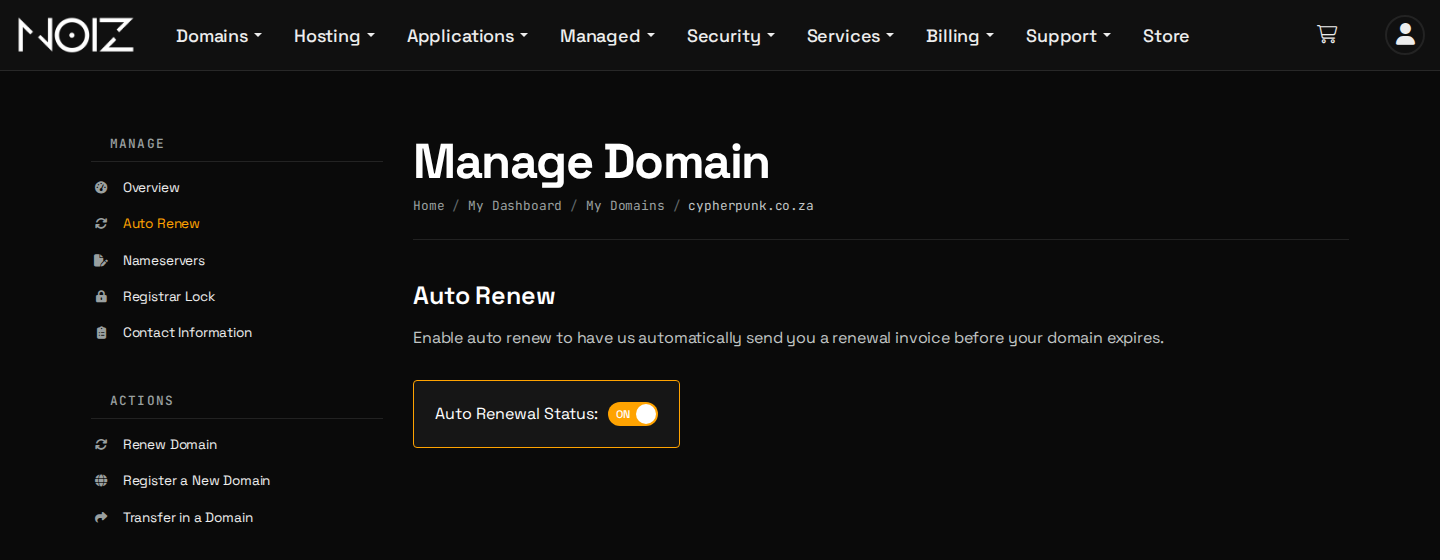
In the Manage menu on the left, click Auto Renew.
-
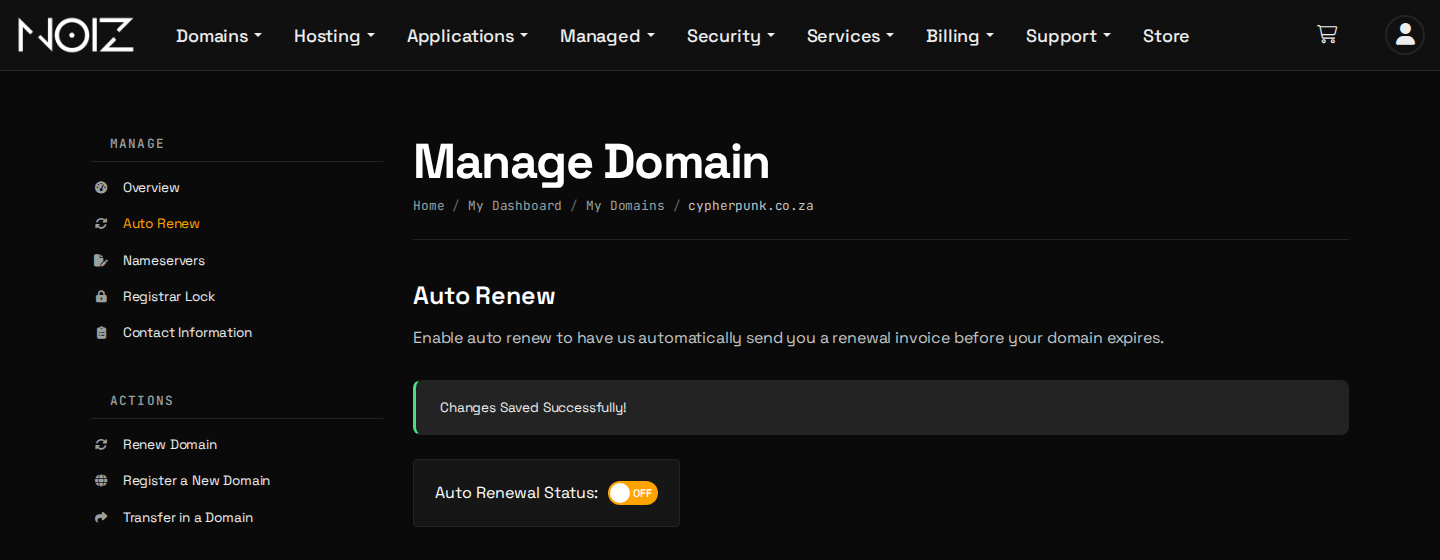
Click the Auto Renewal Status switch so that it shows OFF. The page confirms with Changes Saved Successfully!
What happens next
Section titled “What happens next”- No renewal invoice is issued for the domain. If a renewal invoice was already issued before you turned Auto Renew off, open a support ticket and we will cancel it.
- The domain stays active until its expiry date. You may still receive an expiry reminder email from us as the date approaches. It is for your information; if you still want to let the domain go, no action is needed.
- After the expiry date the domain stops working. Once the registry’s grace period has passed it is deleted and anyone can register it, so this is the last chance to change your mind.
If you change your mind
Section titled “If you change your mind”Turn Auto Renew back on before the expiry date, using either of the routes above, and the domain is invoiced and renewed as normal. To renew straight away instead, click Renew Domains on the My Domains page, choose the domain and pay the invoice.
Hosting and other services are not affected
Section titled “Hosting and other services are not affected”Auto Renew applies only to the domain registration. A hosting plan, email service or any other service on the same name carries on and is billed as before. To cancel a hosting service, see How to Manage Your Hosting Services in the Noiz Console.
If you are not sure which of your domains or services you still need, contact Noiz support and we will go through them with you.
[noiz] | disrupt the signal